Syncing trades
If you're here, you have probably already created an automatic account. If not, check creating an account first.
Step 1. Open the accounts page
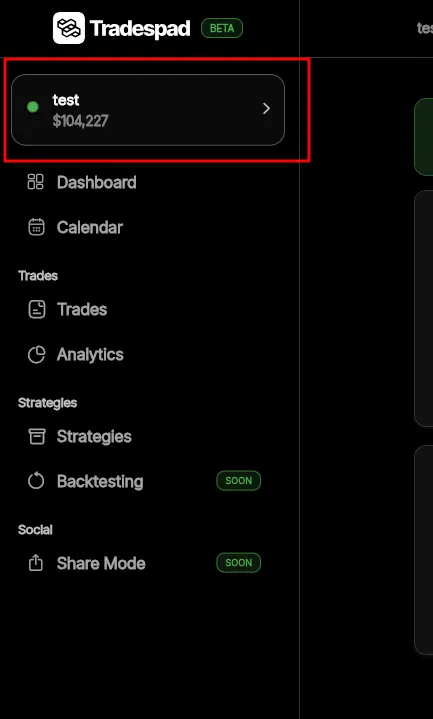
Open the accounts page by pressing the selected account tile
Step 2. Find your account and press Sync
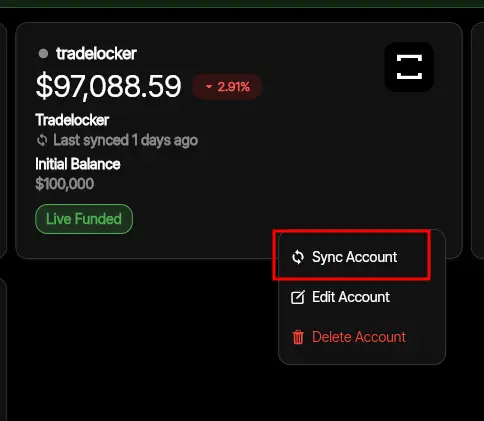
Find the account you want to sync, press ≡ on the right bottom corner of the account card, and press Sync Account.
Tip: Sync Missing Trades / Advanced Sync
If you accidentally delete trades, or they don't get synchronized, you can use Advanced Sync to re-sync a specific date range.
To do this, instead of pressing Sync Account, press Advanced Sync
Well Done!
It might take a little for the trades to sync, but after that, the balance will get updated and all your trades will get saved to TradesPad.
If you have any issues, please email us at [email protected] or join our discord.